

Overview
A personal LLM command-line toolkit. Pipe text into named tasks and get processed output. Supports both local models via Ollama and cloud APIs (OpenAI and Anthropic). On macOS, integrates with the clipboard and system notifications.
Features
- Named tasks managed in a single configuration file with user-defined instructions
- Translation with automatic language detection via
whichlang-cli - Streaming output from all providers
- Works as a standalone CLI or sourced as a library
Requirements and Dependencies
Required
| Dependency | Version | Notes |
|---|---|---|
bash | v3.2 or later | Compatible with the version bundled on macOS |
curl | — | HTTP requests |
jq | — | JSON processing |
Optional
| Dependency | Purpose |
|---|---|
whichlang-cli | Automatic language detection for translation (supports 16 languages) |
ollama | Running local models |
Installation
Run the interactive installer:
bash
bash -c "$(curl -fsSL https://raw.githubusercontent.com/rinodrops/myllm-cli/main/install.sh)"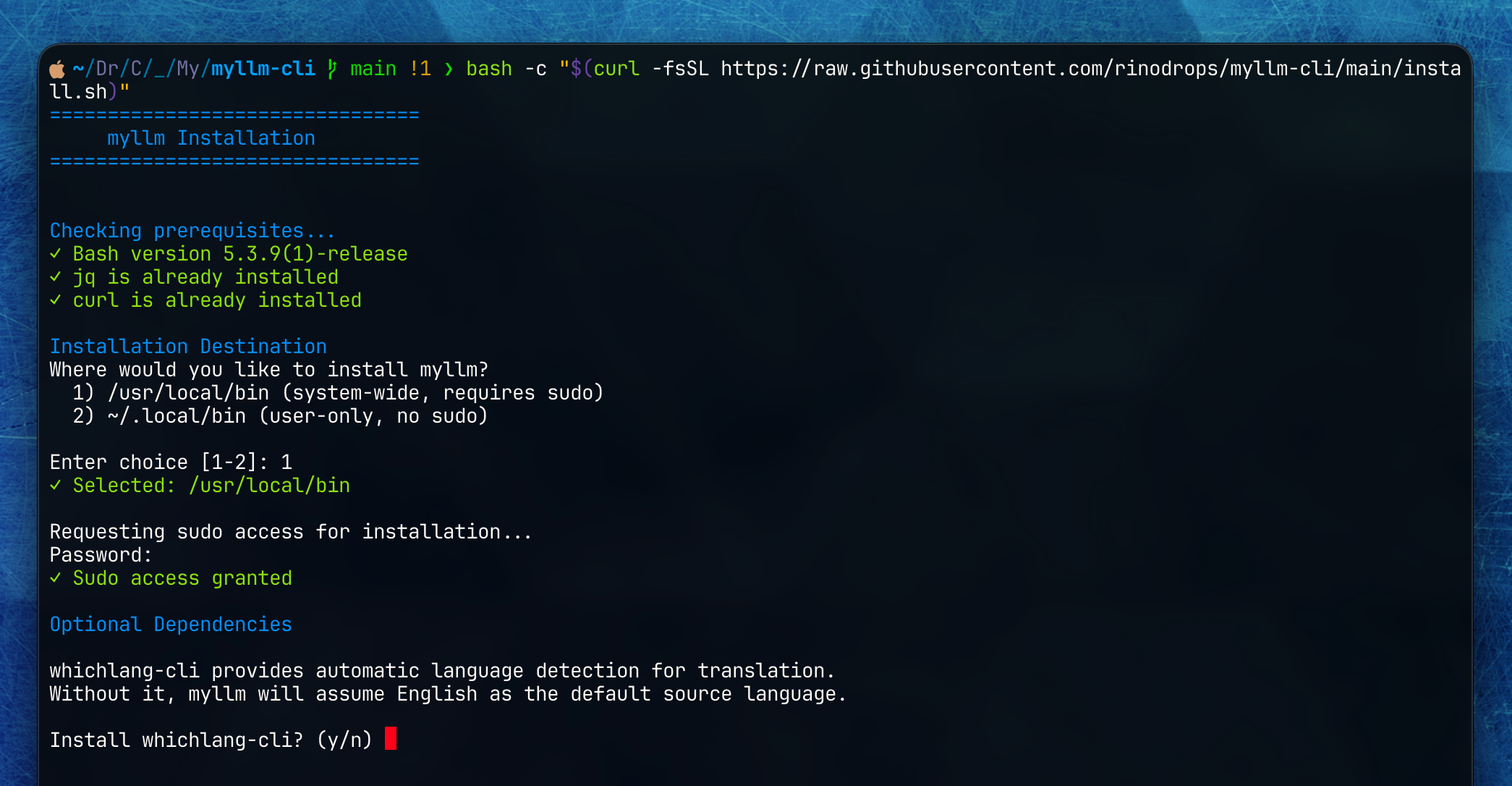
What the installer does:
- Checks for required dependencies (
jq,curl) and offers to install any that are missing - Installs
myllmto/usr/local/binor~/.local/bin - Optionally installs
whichlang-cli - Creates
~/.config/myllm/config.tomlfrom a default template
Quick Start
1. Configure a Provider
First, configure a provider in ~/.config/myllm/config.toml. If you use Ollama, the defaults work out of the box:
toml
[general]
default_provider = "ollama"

[providers.ollama]
base_url = "http://localhost:11434"
default_model = "llama3.2"
To use a cloud API, see the Configuration Reference.
2. Define a Task
toml
[tasks.polish]
name = "Polish"
instruction = '''
Improve the clarity and correctness of the provided text.
Output only the revised text, no explanation.
Use the same language as the original text.
'''
3. Run
bash
# Pipe text
echo "draft email" | myllm polish

# Pass as an argument
myllm polish "draft email"

# List available tasks
myllm list
For detailed command specifications, see the Command Reference.